Hover for Original
Hover over any translated bubble to instantly see the original Japanese, Korean, or Chinese text.
See the Original Text
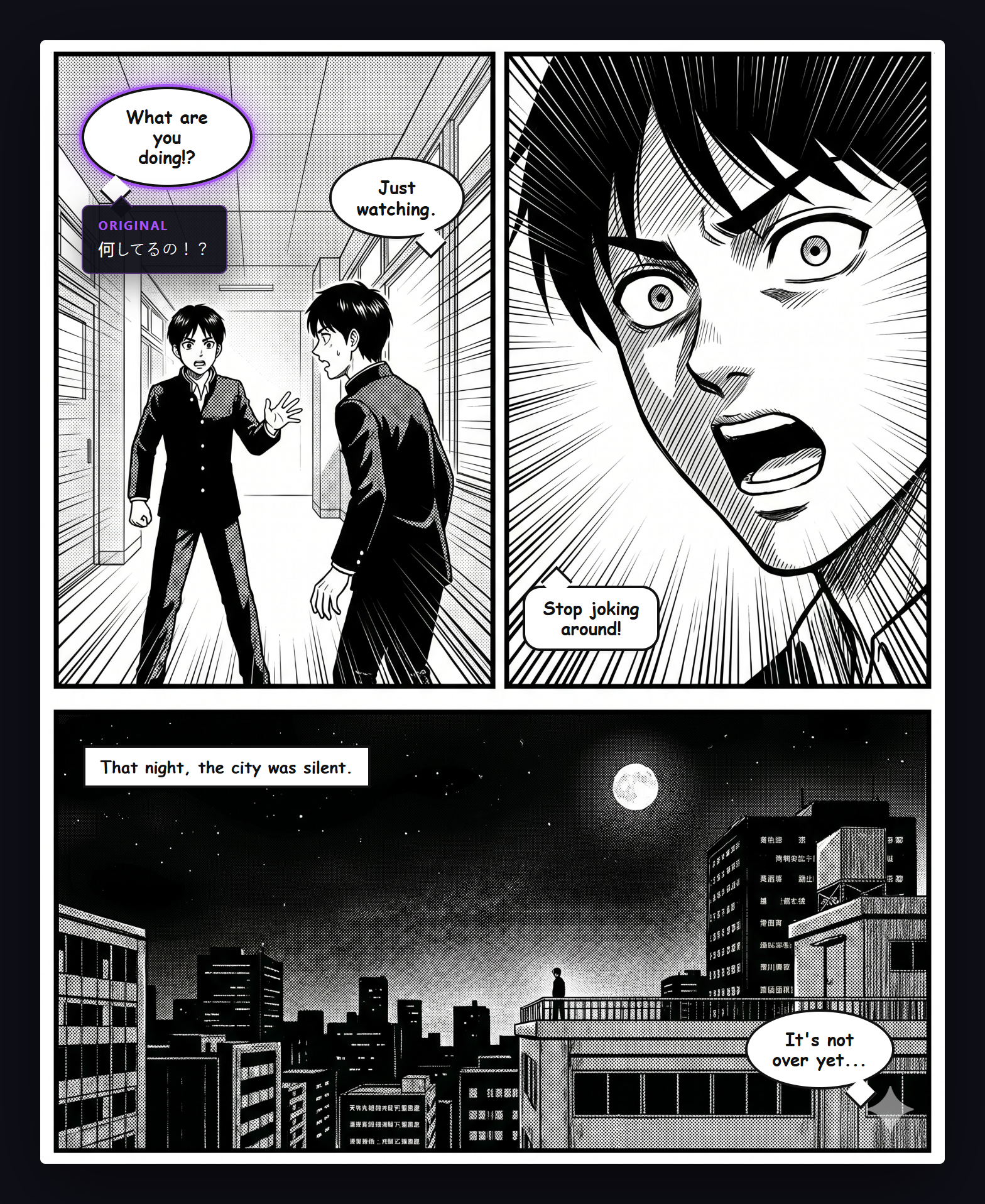
When you hover over a translated bubble, a dark tooltip appears at the bubble's exact position showing the original text in its native script. This lets you check the original without losing your reading flow.
Enabling
"Show original on hover" is enabled by default. Toggle it in the General tab of the popup.
How It Works
- Each translated bubble stores the original text from the OCR/AI response
- On hover, a positioned tooltip element appears with the original text
- The tooltip uses a dark background with light text for readability
- Tooltip opacity is configurable (20–100%) in the Display tab
Use Cases
- Check the original text for translation nuance
- Verify translation accuracy
- Learn Japanese, Korean, or Chinese by comparing