Inline Editing
Double-click any translated bubble to fix the translation in-place. Edits are saved to the cache instantly.
Correct Translations In-Place
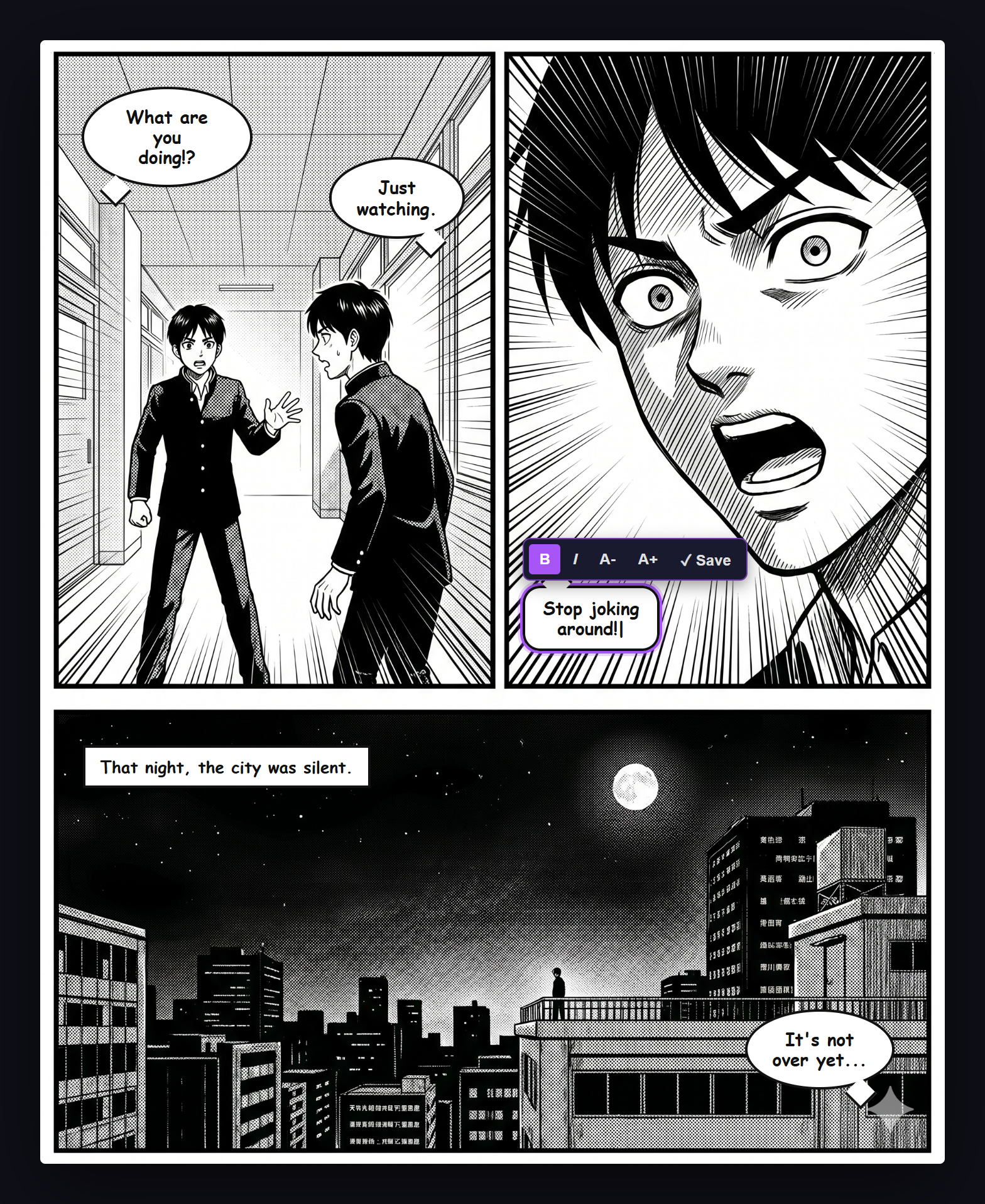
Not every AI translation is perfect. Double-click on any translated bubble to open an inline textarea editor. Fix typos, improve phrasing, or adjust character names without re-translating the entire page.
How to Edit
- Double-click on a translated bubble
- An inline textarea appears with the current translation text
- Edit the text as needed
- Press Enter to save — the overlay canvas updates immediately
- Press Escape to cancel
What Gets Updated
- The overlay canvas redraws with the new text
- The translation cache is updated so the edit persists across page reloads
- The edited translation appears in your history
Tip
Use inline editing to maintain consistent character names and terminology across a chapter. Edit the first occurrence and it will be cached for future pages.